
One of our more popular posts is regarding our trials and tribulations of paying our CFE (Electric) bill online in Mexico.
In that post, I provided some ways to pay a Mexico electric bill (CFE) online. There are definitely some challenges paying Mexico utility bills using a non-Mexican credit card. This includes not only CFE (electric), but also water (Aquakan), internet (Izzi, Telmex), and cellular bills. Sometimes, a non-Mexican credit card just doesn’t work. Frustrating, but, ¡Bienvenidos a México!
I’ve recently found another option – using a Mexican Visa card. But how do you get a Mexican credit card without establishing credit in Mexico? One solution to this is to setup an account with Cuenca.
Cuenca
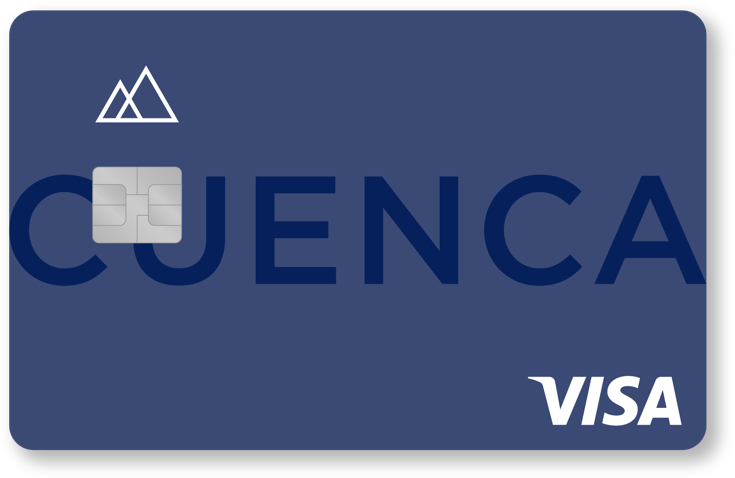
Cuenca is an online Mexican bank, and as part of that, you get a Mexico-based Visa card that makes it easy to pay bills in Mexico online.
Pretty much anyone can setup an account with Cuenca. It’s all done online – so much easier than setting up a traditional bank account. They do verify your ID, but that ID can be a Mexican passport or voting card, a Mexican Resident card, or a foreign passport.
Edit: 2021-10-06: The Cuenca website says that you must:
have your CURP at hand and you can open your Level 1 account, which has a total balance limit of $ 6,500 pesos and in deposits of $ 5,000 pesos per month. If you require another type of account, we have more options for you, you only need to have an official identification: INE, Mexican passport, foreign passport (as long as you have CURP), residence card or consular registration card
Once you sign up for an account, and they verify your ID, you now have a Mexican bank account, which means you can transfer money in or out, pay bills directly, or use the Visa card that they provide.
All of the interaction with Cuenca is done through their mobile app, and although it’s all in Spanish, it’s pretty straightforward to use.
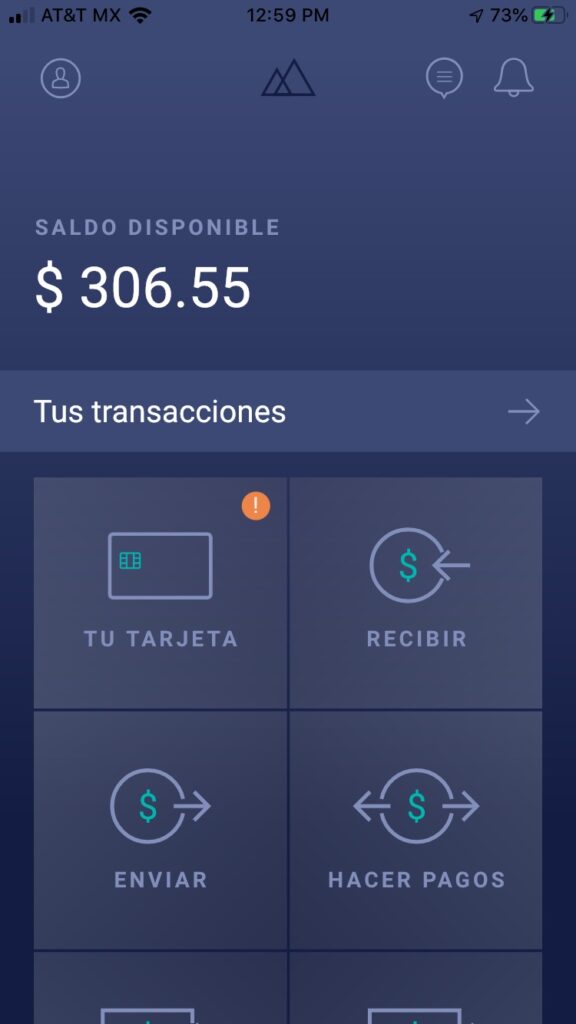
Transferring money to your Cuenca account
As I talked about in my last post, I’m a big fan of using Wise. I can use Wise to transfer money into my Cuenca account. Cuenca provides a CLABE, which is the standard for bank account numbers in Mexico. In US terms, it’s basically one number that combines your routing and account number together into one long number.
So, in Wise, I add my Cuenca CLABE as a recipient, and then I can easily transfer money, which all happens in just a few minutes.
Pay bills online using Cuenca
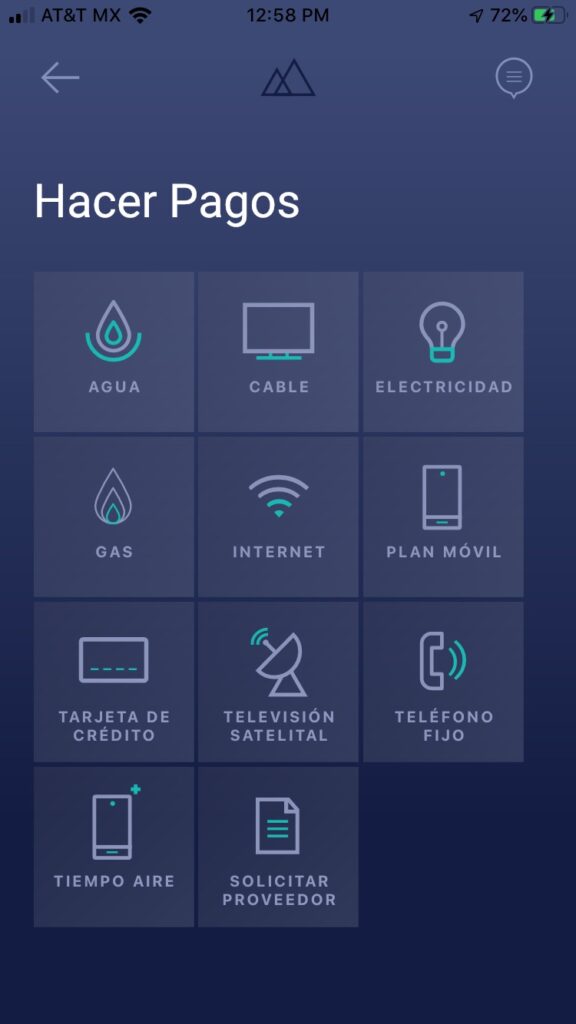
Now that I have money in my Cuenca account, I can easily pay my Mexico utility bills from the Cuenca app. I can either pay directly through the Cuenca app, or I can use my Cuenca Visa number to pay on the utility web site (CFE, Aguakan, Izzi, etc.)
One downside of Cuenca is that the Visa card is a virtual one. In order to get a physical card, you have to go to their office in Mexico City. I hope that changes in the future. But, for me, this isn’t a big deal. I just want a Mexican based credit card so I can use it online. I use my US based physical credit cards all the time in physical stores, without an issue.
Edit: 2021-10-06: You can request a physical card via the app. I misunderstood.
Options
Even in the year 2020, online financial stuff in Mexico can be somewhat challenging. So I like to have options, so I’m not stuck.
I now have a number of options for paying my Mexico utility bills online:
- Pay on the utility provider’s website using a US credit card
- Pay on the utility provider’s website using a Mexican credit card, such as a Cuenca Visa card
- Pay using an app, such as Cuenca, Xoom, Pagamobil, Mercado Pago, UnDosTres, etc.
Easily add money to someone’s debit card
One thing that seems fairly common here in Mexico is the ability to put money onto someone else’s debit card. I never saw that in the US.
Someone else will tell you their debit card number (or share a picture of their debit card), and then you can put money onto it. This still seems a bit odd to me, but, hey, when in Rome!
Cuenca makes it easy to do this as well. When setting up a recipient, you can enter their CLABE (basically a bank account number and routing number), or you can enter a debit card number. Enter an amount, and then Send – super easy.
I just did this recently. We have a local group in town, the mexiCAN Compassion Project, who recently started a food drive here in Puerto Morelos, and they were taking donations. One of the ways you could donate was to send money to their Bancomer debit card – so I did just that from my Cuenca account. It was super fast and easy.

And please do consider making a donation to the food drive – our little community is certainly feeling the pinch due to so many hotels, resorts, and restaurants closing due to the Coronavirus.
Open Source Code
As a software guy, I do like that Cuenca is also contributing back to the community by open sourcing many of their libraries. They also use the MIT license, which allows anyone to re-use these libraries.
You can access their open source projects on GitHub.
Summary
Some of this additional options for paying bills online may seem like overkill. After all, if I need to pay a bill, I could just walk down to Oxxo and pay it. But, I do prefer the convenience of paying online – especially in our current Coronavirus pandemic state where social distancing is important!
Most of the time, things just work as they always have – but I have run into scenarios where one of my credit cards or payment options just doesn’t work (even though it may have worked perfectly last month). Hence, having additional options is helpful.
There’s a lot of exciting things going on in the FinTech space (Crowdfunding platforms, mobile payment apps, robo-advising, online-only banks, etc.). Now, we’re finally seeing some exciting FinTech happening here in Mexico – and Cuenca is a good example of this.
Note: I do not receive any commission or affiliate money from recommending Cuenca – I’m simply sharing it to provide some helpful options.
Gary, thank you for sharing this info! Just yesterday I ran into a problem paying for an online order with my U.S. credit card. Although the card has been used several times a month for the last two years to order from Amazon they must have recently instituted a 2-step verification process that requires texting the cardholder a code. Problem is, I don’t have a U.S. phone number and they won’t text to a foreign phone number. Fortunately, the seller also offered the option to choose OXXO to accept my payment although it had to be in cash instead of a credit card. Bummer for me because I lost out on the points or miles but luckily I had enough pesos and was able to complete the transaction. I had a friend send me a link for a VoIP that I could set up with a U.S. phone number to use for future transactions but I needed to get my order placed and paid for before midnight or the entire transaction would have been voided and I would have had to place the order all over again. Cuenca is another good option and, like you, I like to have a lot of options. I do have a Mexican bank account already though which I use to pay my CFE, TelMex and HOA bills online through the bank’s website. They provided us with debit cards which we use just about everywhere but they do not allow their customers to use debit cards for online purchases. I am going to check to see if they will issue us a credit card but if not, I am definitely going to look into applying for one through Cuenca. Thanks again for another helpful post! Stay home, stay well and be safe!
Thanks for the comments Judy!
Yep – with the way things change, it’s certainly helpful to have multiple options.
The app process is pretty easy with Cuenca – good luck!
Can anyone using the Cuenca card tell me if you have had any issues with them or if your deposits are insured in any way? I’m a little hesitant just to send money to someone who claims to be a bank. No offense!!
Hi Gary,
Thank you for this information. I wasn’t aware of Cuenca and we have a Mexican account w Santander but we’re having issues making transfers bc we can get a phone validation code so this may be a good option.
My wife and I are in the process of buying a house. We paid for 20% already and used transfewise which was great but I’m wondering if we can use Cuenca to pay for the rest. Is it possible to transfer money to another Mexican account from your Cuenca account? If so, are there limits?
Hi Omar,
You can definitely transfer money from Cuenca to another Mexican bank account.
I do not know what their limits are though, but it looks like they have some details on their website.
Check out the Límites de Transacción section on https://cuenca.com/legal/terminos
Hi Gary, thanks for the response. I created an account with Cuenca and went through the additional verification process to have unlimited transfers. I had no idea this online bank existed so thank you for the article.
It appears you have to have a Mexican ID, though your article says a foreign passport would work. I tried to sign up and there is no option for foreign passports.
Hmmm – maybe they changed things since I signed up. If so, that’s a bummer. Perhaps use your resident card?
Hi Gary I have a cuenca account but find it difficult for my family to send me money from the states directly to my account. how can they do it?
Hi Jason – the easiest way I’ve found to do this is using Wise (formerly TransferWise).
Add your Cuenca account (CLABE) as a recipient in Wise, and then you can send dollars from Wise and receive pesos in Cuenca.
Gary, I was reading your blog about the Cuenca Account you wrote March 2020. Has anything changed with Cuenca since March 2020?
Nothing has changed that I’m aware of. I still have a Cuenca account, and use it for paying some online bills in Mexico.
Hi Gary,
I really appreciate this information. I have a Wise debit Mastercard with pesos and USD. Will utility companies (CFE and Aquakan) accept my card?
Also do you know if I am able to go to a Walmart, 7-11, or Sam’s club to pay a Mexican utility bill? I saw that you mentioned them in another post.
Gary, how do I request a physical Debit card. seems it only lets you receive a physical credit card.
I think you can only get a physical debit card, not a credit card.
Can one actually view the current CFE electric bill online and/or actually see the current usage?
Yes. Using the CFE website or the CFE mobile app, you can view your bills and usage history.
Knock on wood this will work for me as Aguakan is nit taking mu Us Credit card. We are going through the verification so far.
Good luck!
The current situation with Cuenca is that accounts set up with a foreign passport before the requirement for a CURP was brought in can use up any existing balance that they have, and online bill payments still work, however any new money transfer attempts via Wise are rejected by Cuenca, as they are now insisting on a CURP for all accounts. This changed around March 2021. As of January 2022 I am still using my old Cuenca account to pay CFE, CAPDAM and Telcel, but I am now looking for an alternative to use from the UK as the balance will soon be used up and can’t be topped up either by transfer or by depositing money in person at an OXXO (not allowed with nivel 1 accounts). There seems to have been a general tightening up of rules recently; you also now need a CURP to open a new CFE account, and this was definitely not the case two years ago.
Trudi – thanks for the info! I have a CURP, but I know not everyone does. I wonder if the rules are the same for other similar accounts (such as Klar or Albo). Thanks again for sharing this!
Gary
Your site has been so very helpful. I am trying to setup a Cuenca account. I happen to be back in the states and the one step is trying to verify my location (per Mexican law, it says). I’m guessing I should wait to complete the setup when I’m back in Playa so they verify I am there?
Hi Jo – ummm….it’s been a while since it set it up, and I did it in Mexico, so I don’t remember exactly. You could maybe try to VPN into a mexico site; otherwise, yea, you may need to wait until you’re back in Mexico.
Hello Gary, I realize this blog post is several years old but wanted to inform you that the requirements to open an account seem to have changed. Per the website, foreign passports are not mentioned as an option, only Mexican passports, and when I attempted to submit my US passport it was rejected.
Thanks for sharing. Maybe their requirements changed?
Their website still says:
I wonder if something has changed.
Curious – Did you provide your CURP as well?
Hi Gary,
I wonder if you can help me…..I live in USA but I have a vacant home in Mexico.
I am still paying utility bills (I was told it was easier this way to sell my house).
Now SAPAC changed payments option…I have been emailing people there but not help. You have to use their application which works only in Android!! Not sure if it will work either, I used to always pay on line.
Any updated information you might have will be greatly appreciated.
Thank you ☺️
SAPAC looks like the water provider in Cuernavaca; yes? I’m not familiar with them.
It looks like they have a pay online via the web option: https://www.sapac.gob.mx/pagoenlinea/
Can you not use that?
Maybe a local friend can pay for you?