

After 5 years of living in Mexico, I finally got a Mexican cell phone number.
We’ve kept our US cell phone plan, as we still need and use our US numbers for business purposes. And porting them to a VOIP service was not an option, as it would not give us everything we would need (such as reliable SMS for 2FA (Two factor auth), which is super important).
Our cellular data roaming in our neighborhood is terrible (word ’round the campfire is that AT&T lost their tower lease near us), so I wanted useable cellular data when I’m not on WiFi. In addition, some Mexican sites (including MX government entities like SAT) require a MX cell number for authentication using SMS.
Dual SIMs
Since I have an iPhone 12, I can use the dual SIM feature of my phone, and have 2 numbers on the same device.
Note: capabilities depend on your specific device model. With iPhone 13, you can use Dual SIM with either two active eSIMs or a nano-SIM and an eSIM. iPhone 12,11, XS, XS Max, and XR, feature Dual SIM with a nano-SIM and an eSIM. Sorry, I know nothing about Android devices.
My iPhone always had a physical SIM card that was for my US (AT&T) number. Last time I was in the US, I converted that to an eSIM. An eSIM is a digital SIM that allows you to activate a cellular plan from your carrier without having to use a physical SIM. I walked into an AT&T store, and told them I wanted to convert to an eSIM. 5 minutes later, it was done, and was free. So now I have the physical SIM slot free.
This week I went to the Telcel store in Cancun, and signed up for a Mexican phone number and plan.
They gave me a physical SIM, and inserted that into my iPhone. So now I have:
- an eSIM for my US number and carrier, and
- a physical SIM for my MX number and carrier
So, one phone; two numbers; two carriers
How it all looks
So, lets see how this all looks when you have dual SIMs
Settings – Cellular
It allows you to select which one to use for Cellular Data (more on this later), and also which is your Default Voice Line.

It now shows 2 Cellular Plans (Mexico and US). It allows you to label each one, so “Mexico” and “US” are my custom labels. You could have “Business”, “Personal”, “Primary”, “Travel”, etc.
Cellular Data
If you click into Cellular Data, you can select your preferred carrier for cell data, and also an option to allow for Cell Data Switching (which allows your phone to use data from both carriers, depending on coverage)
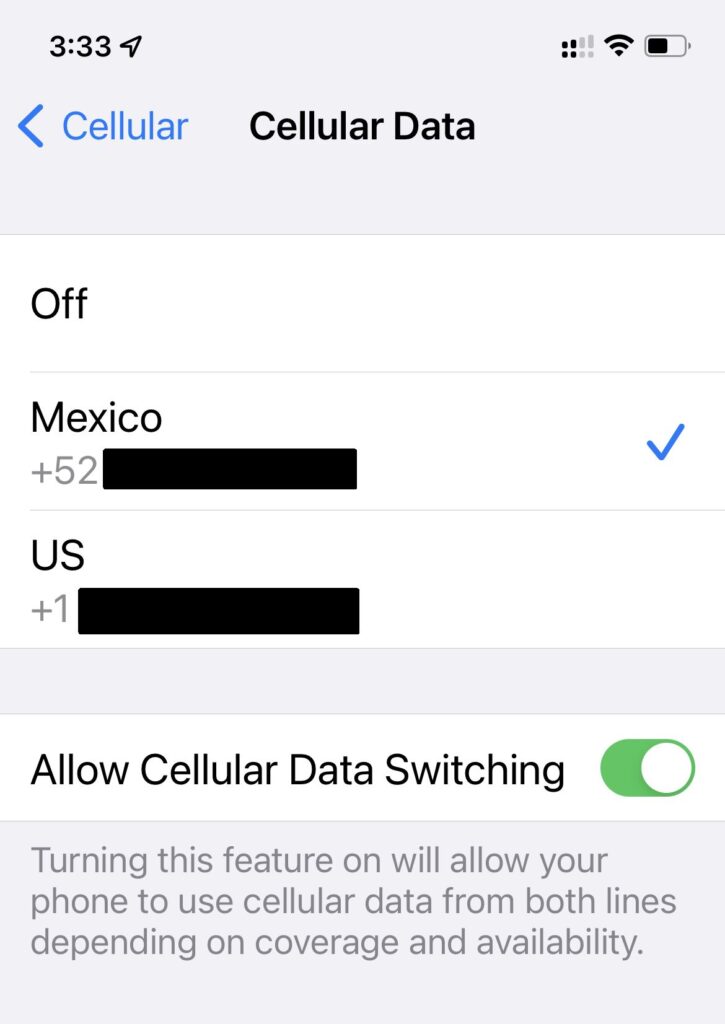
Cellular Plans
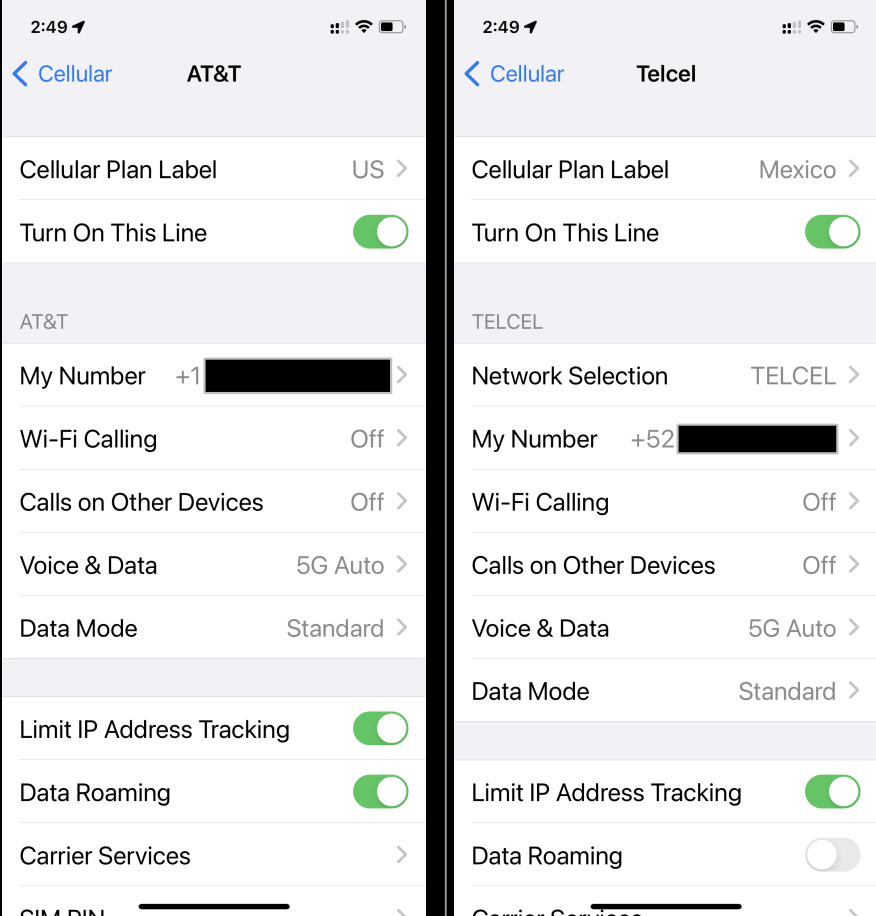
Clicking into one of the Cellular Plans, allows for turning the line on/off, enabling WiFi calling, setting the label (which I’ve done, setting them to “Mexico” and “US”), and other cell options.
Control Center
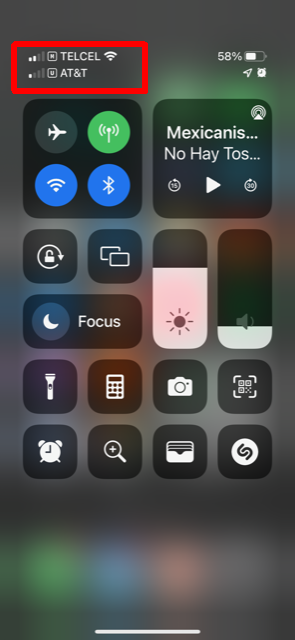
If you’re in Control Center, you’ll be able to see both of your cell lines.
Here, I have Telcel and AT&T enabled, and I’m also connected to WiFi.
Individual Overrides
When making a call or sending a text message, it will use your default settings. But you can override those, such as on a per-call setting, or even per-contact.
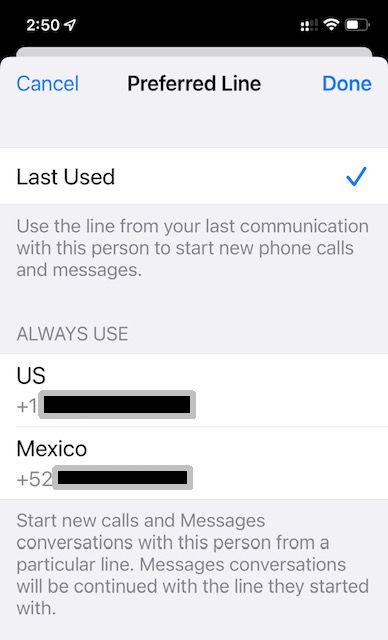
When I click on a contact, I can see the carrier that was last used, so it will use that.
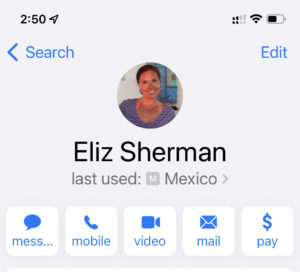
But, if I click that, I can change the Preferred Line for that contact, either Last Used, or a specific one to Always Use.
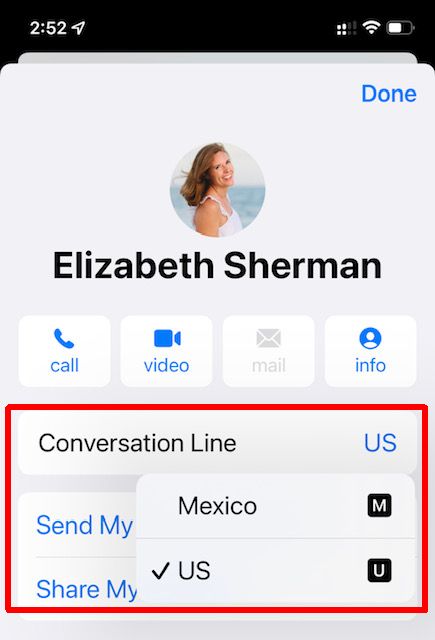
Same when messaging, I can pick a Line for this conversation:
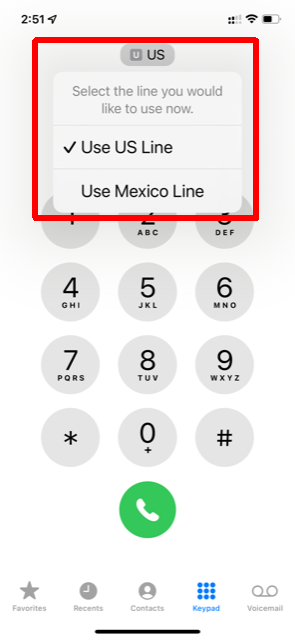
And if I’m just making a new phone call, independent of an existing contact, it will use my default line, but I can also pick a specific Line to use for this call:
Speeds
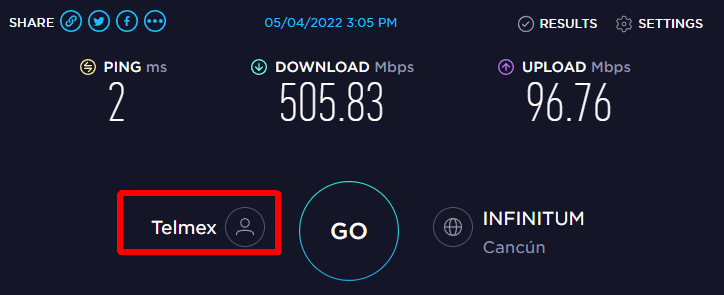
As I mentioned earlier, the AT&T cell data is horrible in my neighborhood; basically unusable.
But with Telcel, I get decent speeds. Only 4G here in Puerto Morelos for now, hopefully 5G in the near future.
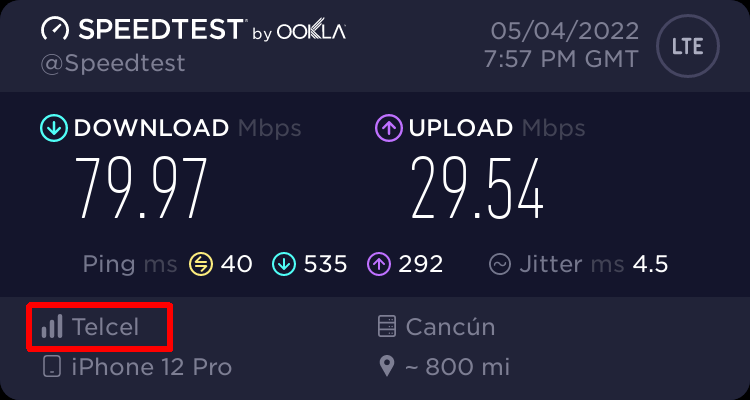
It’s not nearly as good as my home internet with Telmex, but still respectable.
Custom Labels – with emojis!
After I was about wrapped up with this post, I had the idea that I could use emojis (such as flag emojis) within my Custom Labels. 😁
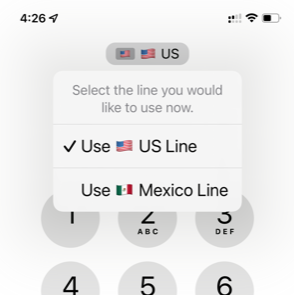
Fun! Although maybe I’ll change the MX one to 🌴 or 🌮!
Summary
I’m pretty jazzed about how this is all working so far. We’ll see how well it continues to play out.
Also, if you’re interested, there’s a good article on Apple’s website that covers using an iPhone with Dual SIMs.
I expect that at some point in the future, I may drop my US plan completely, and perhaps port my US cell number to something like Google Voice, like we did with our US home phone years ago.
Nos vemos!
We have iPhone 8’s. I have an AT&T US plan and a AT&T MX plan; have my MX SIM in my old old iPhone 5 (use the MX # exclusively for MX banking and other things that require it). Will the eSIM and filling the empty SIM tray for my MX SIM card only work with later iPhones?
Hi Marc,
Yes, I believe you’ll need a newer iPhone if you want to use dual SIMs.
Looks like you need an iPhone 13,12,11, XS, XS Max, or XR.
Thank you Gary for this useful article. I have encountered a situation where I cannot have 2 sim cards in my phone. I found a solution and bought a virtual phone number from the Hottelecom website. You can also buy numbers from other websites, but this site was highly recommended to me. So I want to share my finding as well. https://hottelecom.biz/virtual-number-of-mexico.html
Thanks, excellent article. Did you drop your US #? I would like to, as i use google voice for years. Curious if i get on a US vpn occasionally so it logs as USA and not complain?
We just moved to PM, lived in Austin previously.
I still have my US number; I need it for work, and for some SMS 2FA messages.
Fantastic breakdown. I spoke with Apple & multiple carriers who could not efficiently explain using Telcel physical sim & US e-sun at the same time.
Do you happen to know if I can do the reverse of what you did? I have an iPhone 11 (dual sim capability). I currently do not have a US-based cellphone number for account verification in the US (and this is driving me crazy).
Can I convert my physical SIM to an eSIM and use the Telcel physical SIM to open a Tello account? I’m hoping to be able to open the Tello account from Mexico using a vpn and I’m also hoping Capital One will accept this Tello number for verification purposes.
Thanks for any help you can give me. I’m desperate to make this work so I don’t have to switch banks.
Sorry, I don’t know anything about Tello. Maybe call Tello and talk to them?
Hello! Do you know if any Mexican carriers, specifically Telcel and ATT are updated to eSIM technology yet? Starting with iPhone 14, there are no more physical SIMs; only eSIMs. I’m reading mixed answers as to whether Mexico has caught up yet. Thanks!
Hola. Reading this, it seems like Telcel supports esims.
https://iphone.telcel.com/esim.html
Does anyone use Android for their dual sim system? I have a Galaxy 15 and can’t use it for messeges incoming.