
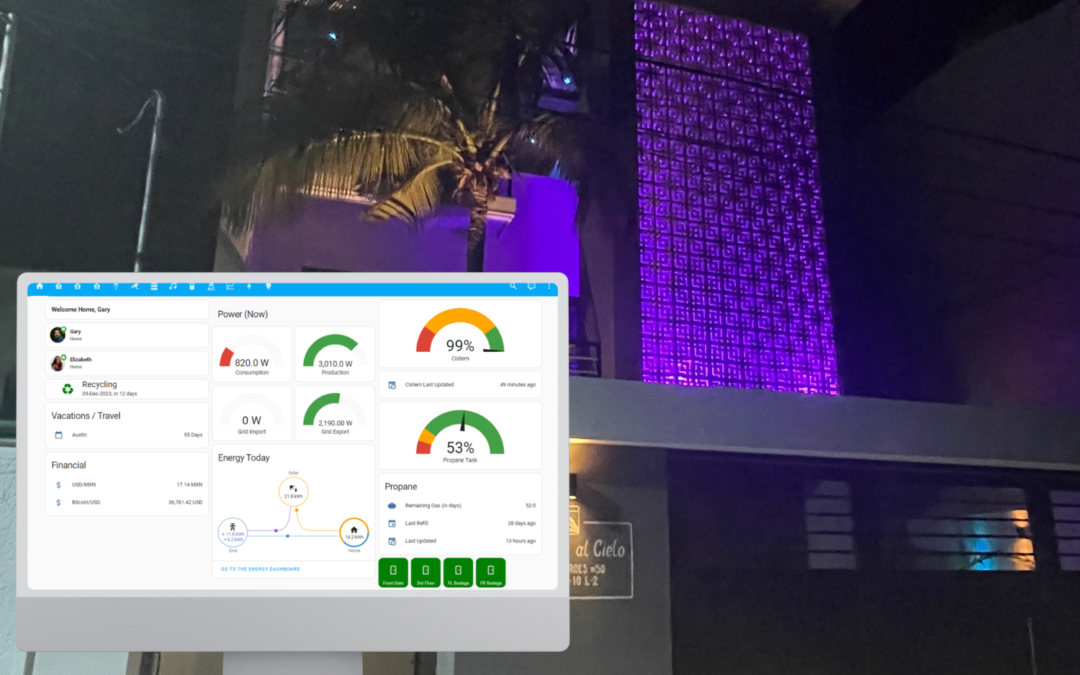
As part of our new house, I started diving more into smart home automation. In this post, I’ll cover some of the different tech we use, some of our automations, and some ideas for the future.
Home Assistant
Home Assistant is the central hub for our home automation. It’s a popular, open-source platform that allows almost anything to connect to it. It allows for integrations and automations from different vendors and technologies. In our house, we have a number of devices, using different technologies and from different vendors:
- Lutron Caseta light switches
- Aqara Zigbee light switches
- Aqara Zigbee sensors (door/window sensors, temperature sensors, motion sensors, vibration sensors)
- Unifi security cameras
- Unifi networking gear
- Alexa Echo devices
- Philips Hue smart light bulbs
- Tuya WiFi smart light bulbs
- Wiz WiFi smart light bulbs
- TP-link smart plugs
- LG Washer, Dryer, and TV
- Onkyo and Denon AV receivers
- iSentinel sensor on our propane tank
- ptLevel water level gauge in our cistern
- enPhase solar system
Why so many different platforms/technologies? Some vendors/devices are just better for their specific purpose, some devices we already had, and some were the best that would work given the constraints.
All of these different technologies and devices all connect to Home Assistant, so everything can be controlled and automated from there.
We can control almost everything from the Home Assistant app. Lights, switches, cameras, etc.
There’s other options for central hubs (Alexa, Google Home, Homekit, Hubitat, SmartThings, etc.). They all have pros/cons. I started with Alexa a few years ago, but quickly wanted to do more, and I’m now super happy with Home Assistant.
Home Assistant Dashboards
HA is super configurable, and can be organized however you want. Within the app (mobile and web apps), you can setup dashboards for your home. I have a number of dashboards, such as one for each floor, one for outside, and even one for the server room.
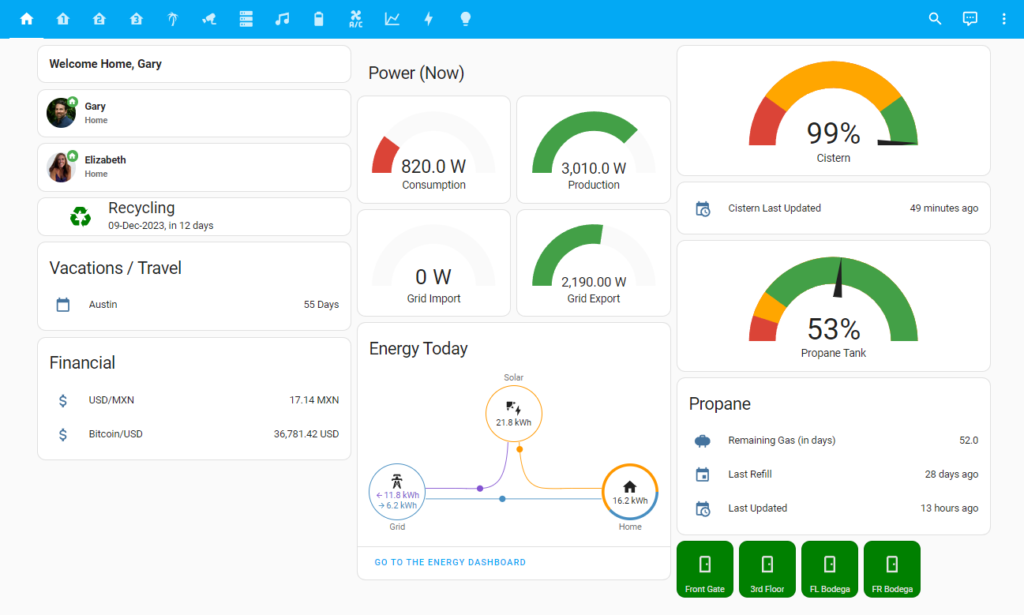
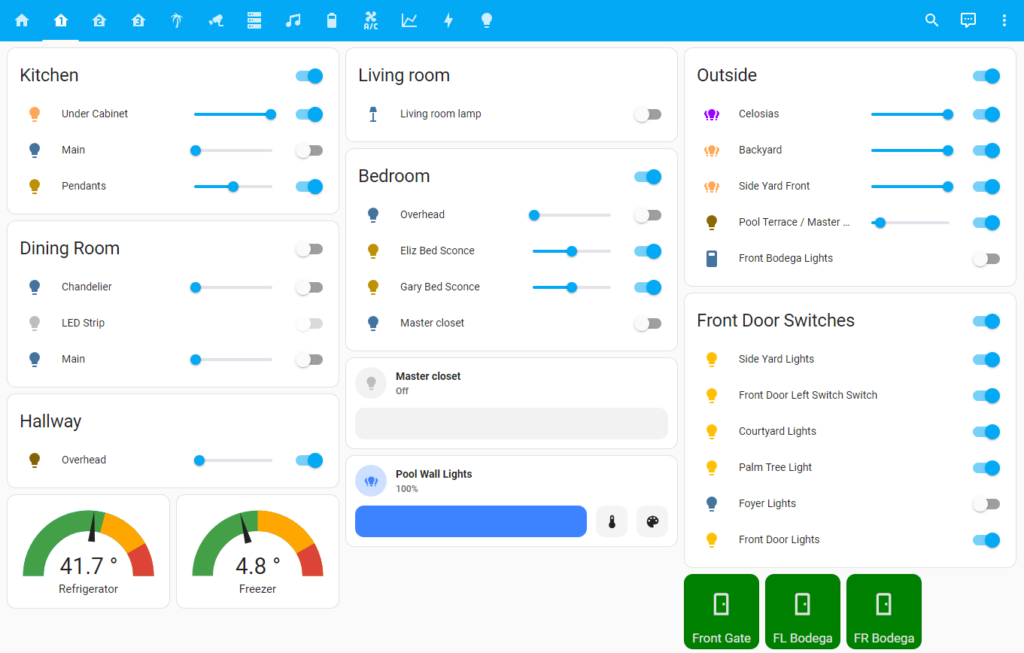
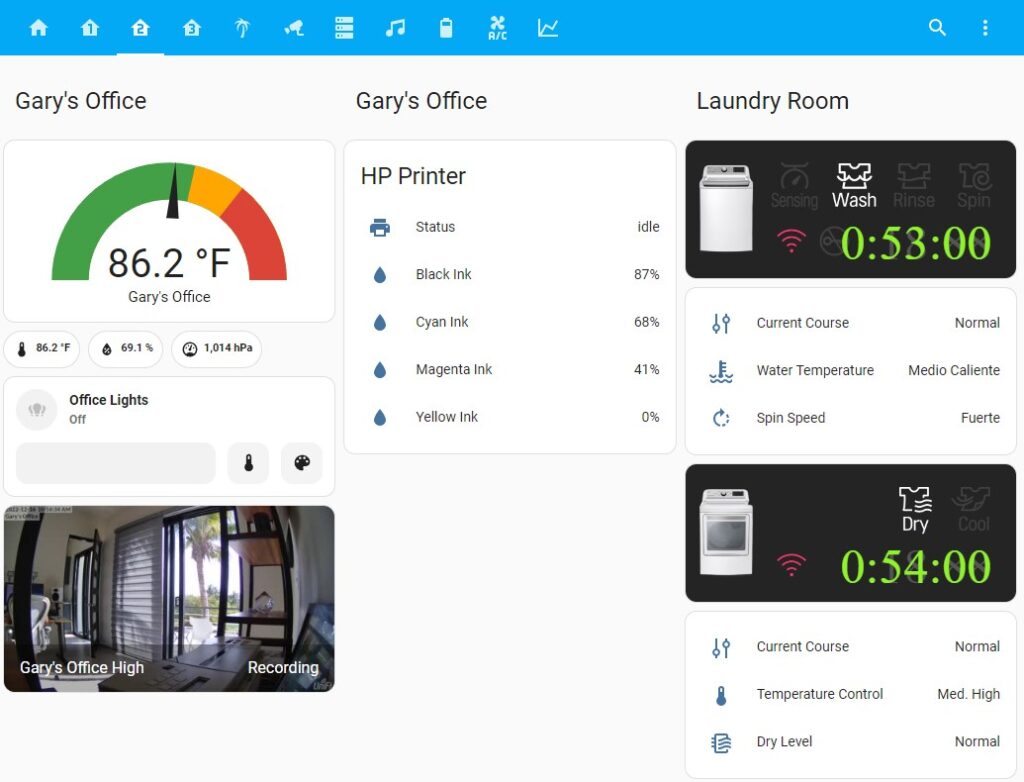
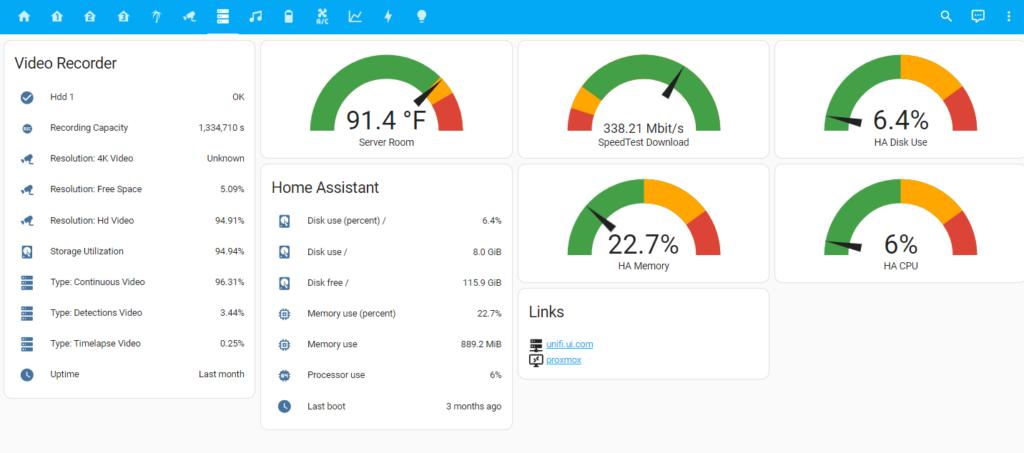
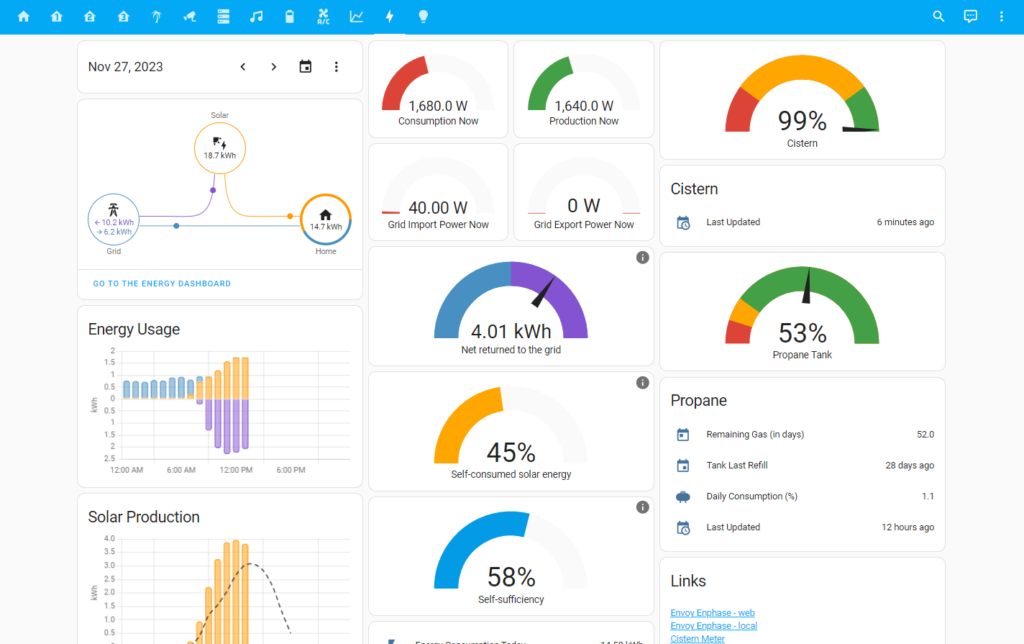
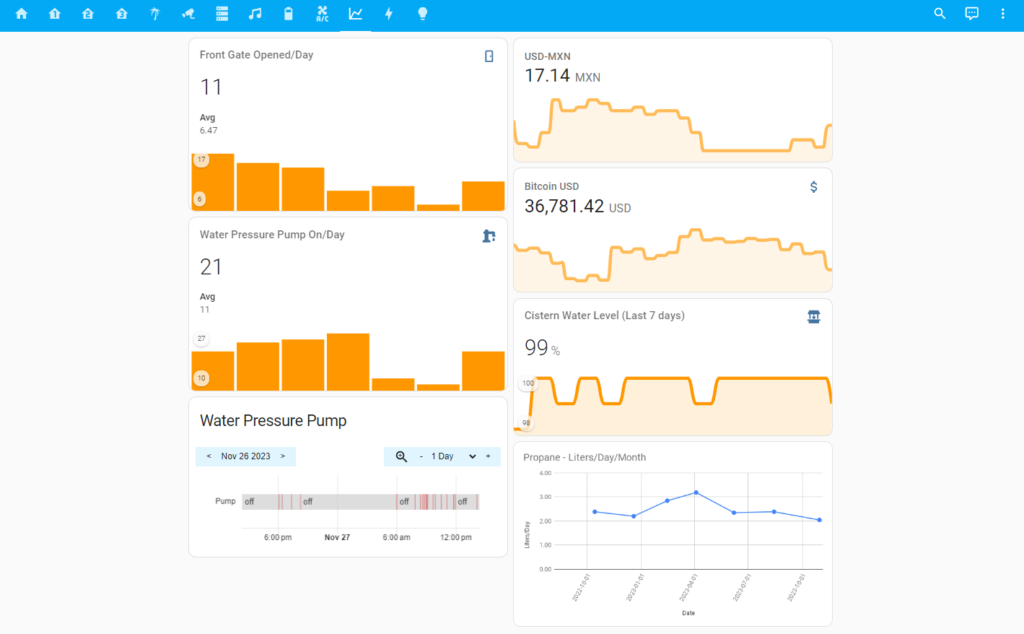
Yes – I know – a graph showing the number of times per day that the front gate is opened is kinda silly. I created that when we first moved in, and we still had a lot of workers coming and going. I was curious how often someone came in or out, and I was also curious as to how to make one of those sensors that tally up items like that.
I recently add the water pressure pump tracker, as we had a problem with the submerged pump in the cistern, and it seemed like it was coming on all the time, so I added a sensor to count it. Indeed – it was coming on about every 20 minutes! Confirming my suspicion that there was a problem with the pump.
Automations
What makes HA super interesting is being to setup automations – and have those automations work across different vendors, technologies, and devices. Here’s just a few of the automations we use:
- 30 minutes before sunset:
- turn all of our outside lights, set to preferred scene
- set the pool wall lights to scene: Blue
- turn on the lamp in the living room
- turn on the under-cabinet lights in the kitchen
- turn on the hallway lights
- turn on the bedroom lights to 50%
- At 9:00 PM
- dim the outside lights
- set the pool wall lights to scene: nightlight
- dim the bedroom lights to 10%
- At 10:00 PM
- turn off some of the outside lights
- set the remaining lights to scene: Overnight
- 30 minutes before sunrise, turn off all outside lights
- Send a push notification to Gary’s phone if:
- The cistern level is below 80% or above 105%
- The propane tank level is below 15%
- The refrigerator temperature is above 40 degrees
- The freezer temperature is above 10 degrees
- The temperature in the server room is over 100 degrees
- When the video camera is active on my laptop, turn on the smart light outside my office, and set its color to red. Basically, a smart on-air light.
- When the motion sensor is triggered in the master closet, and the time is before 10:00 PM and after 6:00 AM, turn on the closet lights
- After 10 minutes of no motion, turn off the closet lights
- When the front gate is opened, if the the outside front door light is off, turn on the front door light; turn off after 5 minutes.
- When the Ikea smart button is pressed, toggle all 3 lamps in my office
- When the doorbell rings, show the front door camera feed on the Echo Show
- and a bunch more!
Alexa and voice commands
We do have a few Amazon Alexa devices, and we have a few things setup that can be controlled by Alexa voice commands. For example, Alexa can turn on and off lights, and AC units, and display the doorbell camera. But more and more, I’m trying to make things happen automatically, without even needing to talk to Alexa.
Home Assistant Hardware
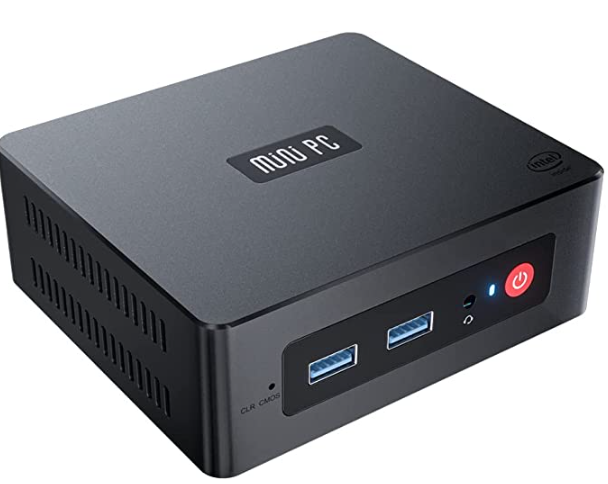
I picked up one of these Beelink Mini PCs for about $200. These are kick-ass little boxes. The one I got came with Windows 10 Pro, an Intel Quad Core processor, 8G Ram, 256G SSD, 4K HD, Bluetooth, Dual HDMI Ports, 2.4G/5G WiFi, and Gigabit Ethernet. It comes pre-configured with Windows, but I wiped it, and instead installed proxmox, which is the main OS hypervisor. I then run HAOS (Home Assistant Operating System) as a virtual machine within proxmox. Yes, it’s all a bit geeky, but that’s part of the fun of it. For those less interested in doing all that, you can buy a pre-configured HA device, such as Home Assistant Blue.
Air Conditioning Units
We have all Carrier mini-split AC units. Some have built-in WiFi, and can be controlled by the Carrier mobile app, and also by Alexa. We have automated schedules, so that they turn on and off as we want.
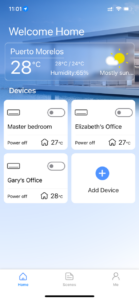
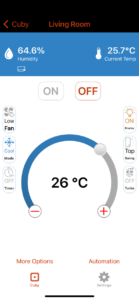
For the others, that do not have WiFi control built-in, we use a Cuby AC control. (We had this at our old rental house as well, and they work great!)
The Cuby is a small device that connects to WiFi, and also then sends an infrared signal to your AC unit, same as an AC remote control would. In addition, you can setup automated schedules. For example:
- At 4:00 PM, turn on the AC in the living room, set it to 25 degrees. Turn it off at 9:00 PM
- At 9:00 PM, turn on the AC in the bedroom, set it to 25 degrees. Turn it off at 5:00 AM
What’s nice about the Cuby is that it will work with pretty much any AC unit that has an infrared remote control. And it also works with Alexa.
In addition, it has a mobile app, and that allows you to control it remotely. For example, we may be out and about, but on our way home, we may want to turn on the AC, so that it’s cool when we get home. We can do that from the mobile app.
I haven’t yet gone through the task of integrating these with Home Assistant, as it just hasn’t been a crucial need. Why would I want to do that? For more control, and integration with other devices.
For example, integrate the AC units with door and window sensors. Or integrate with the temperature/humidity sensors.
- If any of the door or window sensors are open for more than 5 minutes, and the AC is on, then turn the AC off.
- If the humidity is above 85%, turn on the AC into Fan mode.
- If the temperature is above 87 degrees, turn the AC on, set to a certain temperature.
Projects for another day…
Non-HA Compatible Devices
We do have a few devices that don’t work with Home Assistant, unfortunately. They’re stand-alone, but are still part of our home automation.
Pool Pump – the pool filter pump is on its own old-school timer, so that it runs for 2 hours every afternoon, without any manual intervention. It’s on of those old-school basic dial timers. It works, and it’s fine. If it ever does die, I’ll replace it with a smart plug, to give myself a bit more control over it.
Future
There’s a few items I’ve been thinking about for the future. For example, water leak detectors under each sink and in the laundry room – which will alert me if a water leak is detected. Maybe even integrate with a smart valve, which can shut off the water if a leak is detected. Water level sensor for the tinaco. Temperature and Chlorine and pH sensors for the pool. Individual energy consumption meters.
I’ll also be constantly tweaking my dashboards. There’s some crazy impressive dashboards that other folks have setup, and I have some improvement ideas for mine.
Tons of ideas!
Geeky Fun
All of this is certainly a bit geeky, but it’s also fun. As home automation devices continue to evolve, it’s nice to have a central hub for all of them, and I’m sure all this stuff will continue to move forward, and more and more things at home will be inter-connected.